
Checklist
How to Plan a Calmer Move to a New Provider System: A Phased Checklist
A practical checklist for switching NDIS provider software calmly, with data checks, a small pilot and a phased cutover rather than one big switch-over day.

Kim MatthewsFounder and disability support provider
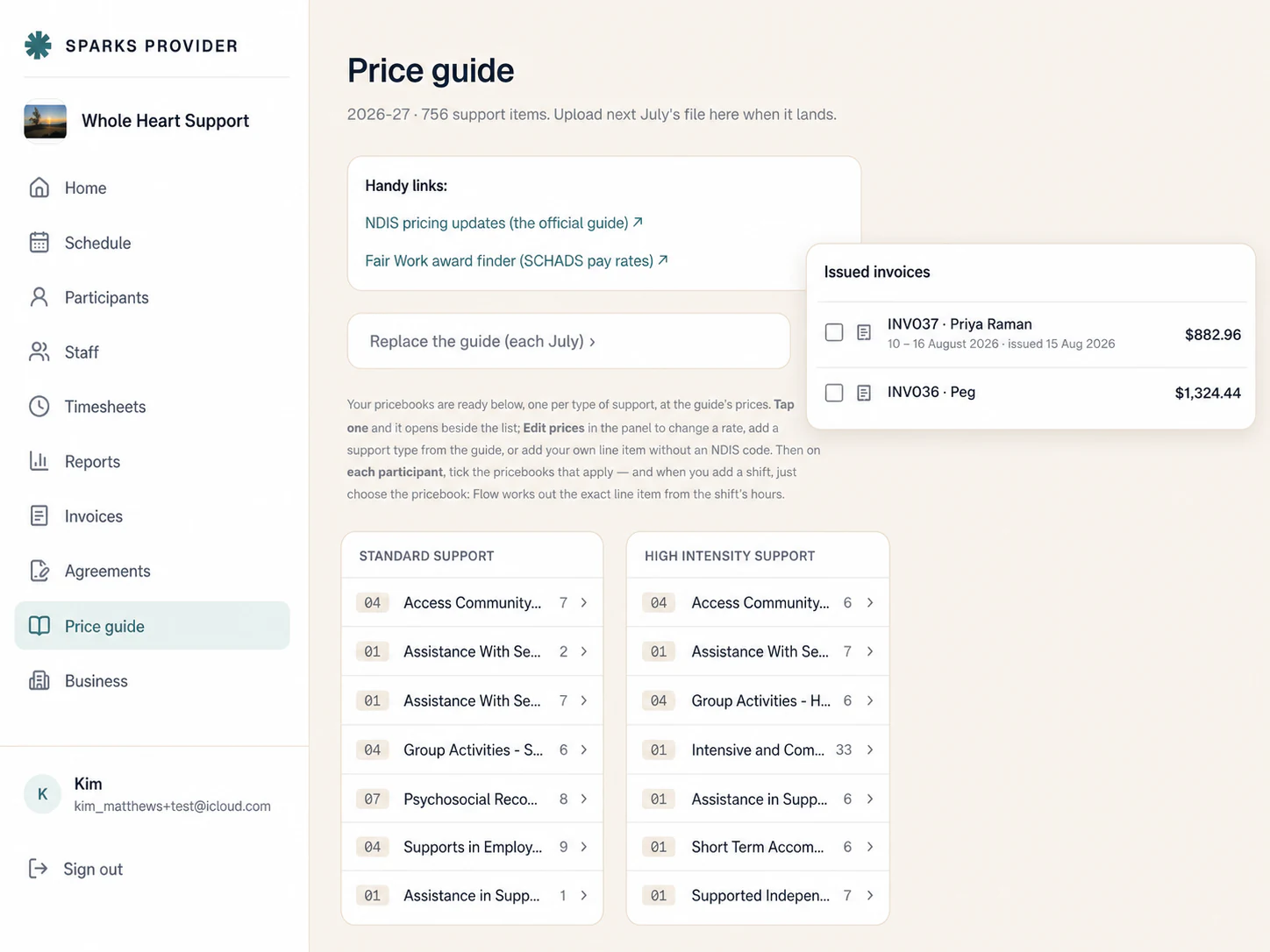
The calmest way to move to a new provider system is to treat it as a staged project, not a weekend event. Pick a quiet week, move a small slice of your business first, check that the numbers match, then bring the rest across once you trust what you're seeing. Providers who try to flip everything on invoice day usually end up chasing missing shifts and mismatched hours instead of running their week.
1. List what actually needs to move
Before you touch anything, write down what has to travel with you. For most small providers that is participant details and service agreements, your current price book items, staff details, rostered and historical shifts, and any unpaid invoices sitting in the old system. Anything closed off, like invoices already paid months ago, doesn't need to be perfect on day one.
2. Pick a cutover window that isn't payday or invoicing week
Choose a stretch of two to three weeks where your roster is fairly normal and nobody is relying on same-day invoicing. Avoid the week you're closing the books or waiting on NDIA payments. A quiet fortnight gives you room to double-check things without the pressure of a deadline sitting on top of the move.
3. Run a small pilot before the whole team switches
Rather than moving all staff and participants at once, start with a slice: two or three support workers and five or six participants, ideally people with straightforward, regular shifts. Run their roster and shift records in the new system for a full pay cycle while everyone else stays on the old one. This is where most surprises show up, and it's far easier to fix a mismatch across six shifts than six hundred.
4. Check the numbers, not just the feel of the new system
At the end of the pilot period, compare the two systems side by side. Do the approved hours match? Do the invoiced amounts line up with your price book? If you're using Xero, check that unsent invoices and draft timesheets look right before you push them through. If something doesn't reconcile, it's better to find out on a five person pilot than on your whole roster.
5. Bring history across deliberately, not all in one dump
If you're moving from ShiftCare, Sparks Provider has a built in import that brings across participants, staff invitations and up to seven years of shift history and progress notes, and re-importing the same file won't duplicate people, so you can run it again if you add more later. There's also a supported move for a sole trader using Sparks Scribe who has grown into a provider team. See https://sparksprovider.app/compare/shiftcare for how that comparison is set out. Either way, bring history across in a batch you can check, not as a background job you assume worked.
6. Tell staff exactly what changes for them
Support workers don't need the whole migration plan, just the parts that touch their day. In Sparks Provider they're invited to their own account, see their own shifts and the client details they need, record availability, add shift notes or incident reports, and submit their hours for approval. A short message covering when they'll get their invite and what their first login looks like removes most of the questions before they're asked.
7. Keep both systems live until the first invoice run clears
Don't cancel or lock out of your old system the moment the pilot looks fine. Keep it accessible until you've run one full invoicing cycle in the new system and confirmed the money side works, including anything sent to Xero as draft invoices or draft timesheets for checking. Once that cycle is clean, you can widen the pilot to the rest of your roster in a second phase, then retire the old system.
Worked example: a fictional provider we'll call Riverside Supports runs 12 support workers and 30 participants. In week one they moved four staff and six participants across, ran a parallel pay cycle, and found one price book item had been set up under the wrong support category, caught early because they were only checking six invoices. Week two they fixed the price book, added the rest of the roster, and ran a second parallel cycle. By week three the old system was read only, used just to answer occasional history questions, and the whole roster was running in the new system. If cost is part of your decision, the calculator at https://sparksprovider.app/calculator can help you compare your current spend against a $499 per year subscription that covers unlimited staff and clients, though moving software doesn't guarantee any saving for your specific business.
The practical takeaway is simple: move a small, real slice of your business first, check the numbers before you trust them, and only widen the rollout once a full pay cycle has gone through cleanly. A calmer migration is mostly a sequencing decision, not a technical one.
Common questions
The details people ask next.
How long should the pilot group run before we widen it?
A full pay cycle is a reasonable minimum, so you can see rostering, hour approval and invoicing all the way through before adding more staff and participants.
What happens to years of old shift history when we switch?
If you're moving from ShiftCare, the built in import can bring across up to seven years of shift history and progress notes, and re-importing the same file does not duplicate people.
Should we set up the new price book before or during the pilot?
Before. Each business has its own price book based on current NDIS support items, so it's worth setting that up and checking a handful of invoices against it before you rely on it for your whole roster.
Does switching software guarantee lower costs?
No. A new system can change what you pay for software, but it does not guarantee overall savings for your business, since that depends on your own staffing, hours and current tools.
Do support workers need to learn a whole new system on day one?
No. They typically only need to know how to see their own shifts, record availability, add shift notes and submit hours, which is a short conversation rather than full training.
This article is general information only and is not financial, NDIS or compliance advice. NDIS pricing and claiming requirements can change, so check the current NDIA pricing arrangements and provider guidance before relying on it.