
Listicle
7 Things Small NDIS Providers Should Check Before Choosing Software
A practical checklist for small NDIS providers comparing software: pricing, rosters, approvals, records, claims, data import and phone access.

Kim MatthewsFounder and disability support provider
Before you commit to any NDIS scheduling or business software, run through seven checks: how it actually prices as you grow, whether it can handle your real roster and not just a simple one, what happens between a worker submitting hours and getting paid, where participant records and signed agreements live, what it does with NDIS claims, whether you can bring your existing data across, and how you and your staff open it on a phone. Answer those seven and the rest of the decision gets much easier.
1. How the price actually works as you grow
Some tools charge per worker or per active client, which means the bill quietly climbs every time you take on a new support or a new participant. Ask what happens at 5 staff, 15 staff, and 30 staff. Sparks Provider is one flat fee per business, $499 a year including GST, with unlimited staff and unlimited clients. We built it that way on purpose for smaller providers who don't want to recalculate their software bill every time they grow. If you want to see the maths for your own team, our calculator is at sparksprovider.app/calculator.
2. Whether it can handle your actual roster, not a simple one
A demo roster with one worker and one client tells you nothing. Ask to see a 2:1 support, a sleepover, an active overnight, a public holiday shift and a chargeable cancellation, all in the same week. Picture a fictional provider, Riverbend Supports, running a Tuesday sleepover for one participant and a 2:1 group session on Wednesday. If the software can't show both clearly on one weekly view, your admin staff will end up managing the gaps in a spreadsheet anyway.
3. What happens between hours submitted and pay processed
Look for a clear approval step and ask which system handles each part of the process. In Sparks Provider, staff submit hours for review. Once Xero is connected and worker and pay-item mappings are configured, approved timesheets can be sent across as drafts for checking. Provider does not calculate wages, interpret awards or pay workers.
4. Where participant details and signed agreements actually live
Check whether service agreements, documents and participant details sit in one place or are scattered across email and a separate signing tool. Sparks Provider keeps participant details, documents and service agreements together, and agreements can be sent for electronic signing with the signed record staying attached to the participant. Note that any organised records system helps keep your operations tidy, it does not make your business compliant. That responsibility stays with the provider.
5. What it does, and does not do, with NDIS claims
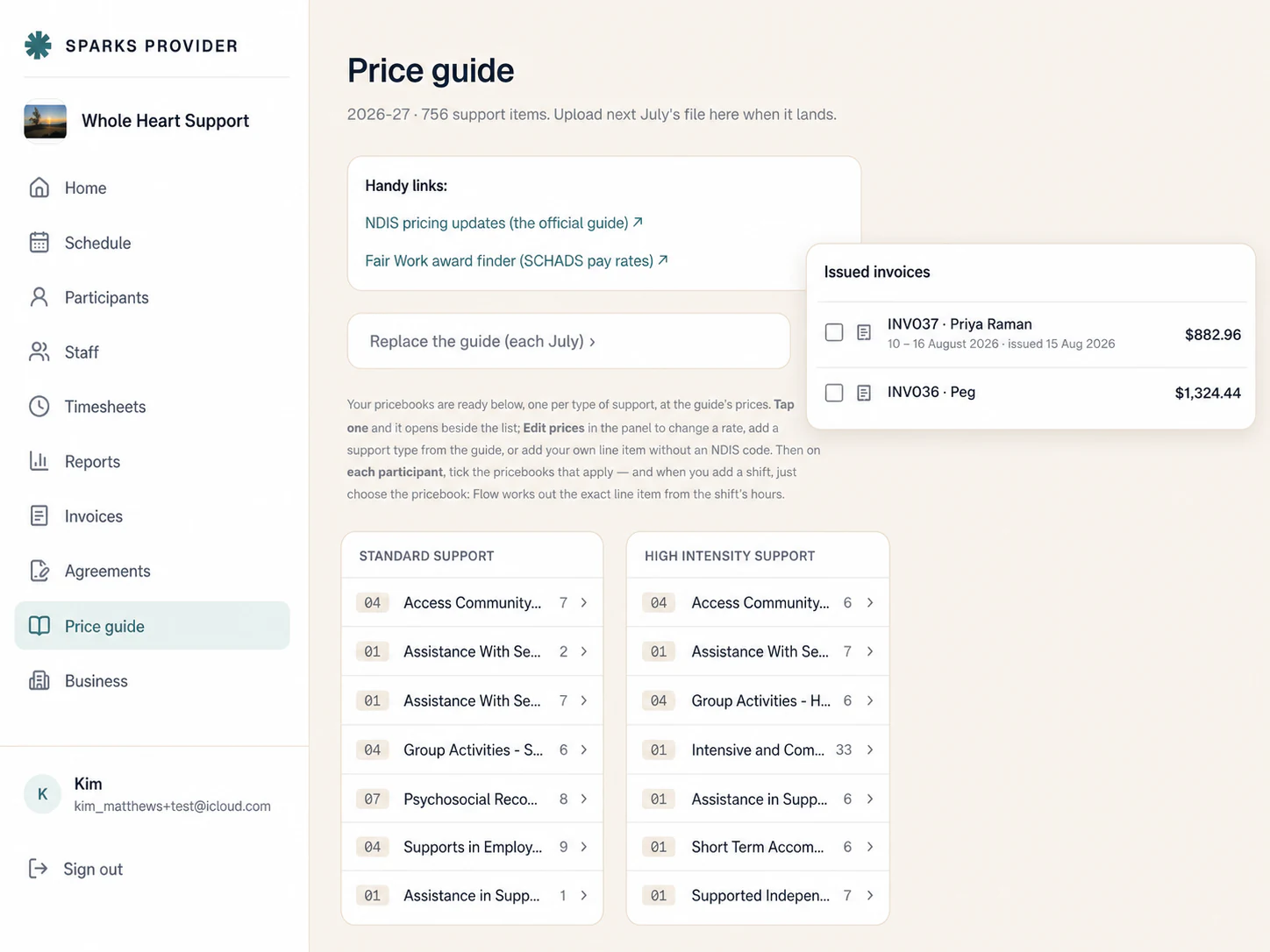
Ask exactly what happens after a shift is approved. Does the software price it from a current price book? Does it generate a file you still upload yourself, or does it claim to submit on your behalf? Sparks Provider creates a claim file for NDIA-managed work that you upload to PRODA yourself. It does not sign into PRODA or submit claims for you.
6. Whether you can bring your existing records across
Ask what can be exported, what can be imported and what you will need to review. Sparks Provider supports ShiftCare staff, client, note and scheduler exports, imported in the recommended order. Check matches and any flagged items before relying on the imported records. See sparksprovider.app/compare/shiftcare for the current comparison.
7. How you and your staff actually open it on a phone
Check the experience on the phones your team uses. The official Sparks Provider Android app is available on Google Play. Existing subscribers should sign in with their Provider account rather than buy a second subscription. As of 8 September 2026, the iPhone and iPad app is not yet publicly available. The browser version works on a phone and can be added to the Home Screen; that shortcut opens the website rather than an installed app.
Use the seven-day trial, with no card needed, to check a representative week of work. Focus on the features your team actually needs, then decide whether the system fits.
- How the price actually works as you grow
- Whether it can handle your actual roster, not a simple one
- What happens between hours submitted and pay processed
- Where participant details and signed agreements actually live
- What it does, and does not do, with NDIS claims
- Whether you can bring your existing records across
- How you and your staff actually open it on a phone
Common questions
The details people ask next.
Does Sparks Provider charge more as I add staff or clients?
No. The fee is $499 per year including GST, per business, with unlimited staff and unlimited clients.
Can I bring my existing ShiftCare data into Sparks Provider?
Yes. The dedicated import supports staff, clients, notes and scheduler exports. Import in that order, then review matches and anything flagged for attention. What can move depends on the exported files.
Is there an iPhone app yet?
As of 8 September 2026, the iPhone and iPad version is not yet publicly available. Android users can already use the official app on Google Play, and anyone can add a Home Screen shortcut to the browser version in the meantime.
Does Sparks Provider run payroll or decide pay rates?
No. It records and approves hours and sends approved timesheets to Xero as drafts for checking. It does not calculate wages, interpret awards or set pay rates.
Does Sparks Provider submit NDIS claims for me?
No. It creates a claim file for NDIA-managed work that you upload to PRODA yourself. It does not sign into PRODA or submit on your behalf.
This article is general information only and is not financial, NDIS or compliance advice. NDIS pricing and claiming requirements can change, so check the current NDIA pricing arrangements and provider guidance before relying on it.