
Guide
Thinking about leaving ShiftCare? Start with the work you need.
For small NDIS providers considering a switch, start with your roster, notes, timesheets and invoicing needs. Here is what to check before moving.

Kim MatthewsFounder and disability support provider
Start with the work your team actually does
If you are a smaller NDIS provider looking for something simpler than ShiftCare, Sparks Provider is built specifically for businesses that employ and coordinate their own support workers, without the enterprise-sized feature list. It keeps your roster, staff, participants, shift records, approved hours, invoices and business records together in one focused app, and a built-in import can bring your ShiftCare data across so you are not starting from scratch.
What makes Sparks Provider a good fit for small teams?
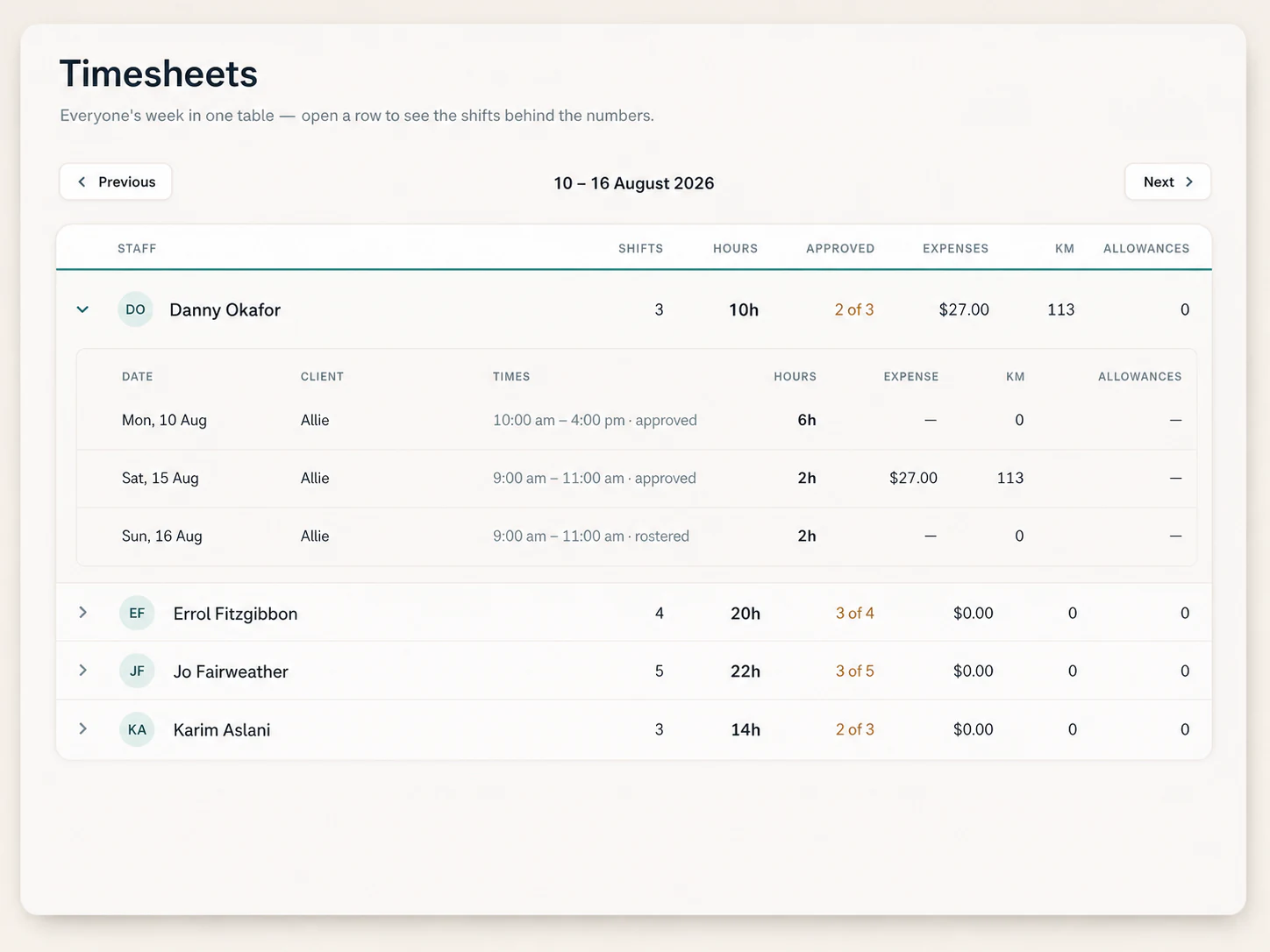
Sparks Provider is deliberately focused rather than trying to do everything. It covers the day to day work of a small provider: planning shifts, having staff record their hours, approving that work, and turning it into invoices from your own price book. There is no long menu of modules you will never touch. The price is per business too, with unlimited clients and unlimited workers, so it does not get more expensive as your team grows.
How do I move across from ShiftCare?
The dedicated ShiftCare import supports staff, clients, notes and scheduler exports. Import them in that order, then review matches and any items flagged for attention. What can move depends on the files you export. Try a small, representative part of your week before planning the full move, and email hello@sparksprovider.app if you would like a hand.
What does it cost?
Sparks Provider has a 7-day free trial and no card is needed to start. After that it is $499 for the whole year, GST included, for unlimited clients and unlimited workers. An owner can manage the subscription and payment details anytime under Business, then Subscription.
What can I actually do with the roster and staff features?
You can plan one-off and repeating shifts in a weekly roster, including unassigned shifts, 2:1 and 3:1 supports, group sessions, sleepovers, active overnights, public holidays and chargeable cancellations. Staff are invited to their own account, where they see only their own shifts and the client details they need, record their availability, add shift notes or incident reports, and submit their hours. Owners and admins then review the week and approve hours before invoicing or sending timesheets onward.
What happens with participants, price books and invoices?
Participant details, documents and service agreements stay together in one place, and agreements can be sent for electronic signing with the signed record kept against the participant. Each business has its own price book based on current NDIS support items, and you control which items it uses. Approved work becomes invoices priced from that price book. For NDIA-managed work, Sparks Provider creates a claim file you can upload to PRODA yourself. It does not sign into PRODA or submit claims on your behalf.
What should I check before deciding?
Write down the features your team relies on and test those during the trial. Xero is included: after connection and setup, invoices and approved timesheets can be sent as drafts for review. If you need broader care or workforce tools, check those carefully before switching. Read the current comparison at sparksprovider.app/compare/shiftcare, or explore the product at sparksprovider.app.
This article is general information only and is not legal, employment, payroll or award advice. Check current requirements with the Fair Work Ombudsman (fairwork.gov.au) or an adviser for your business.