
Shift notes
NDIS progress notes software, with a shift notes app for workers
Sparks Provider is NDIS progress notes software for small Australian providers: each worker writes one note per shift on their phone, it saves as they type and is sent when they sign out, and every note stays on the participant's record, for $499 a year including GST for the whole business.
7 days. No card needed. $499 a year including GST if you stay.
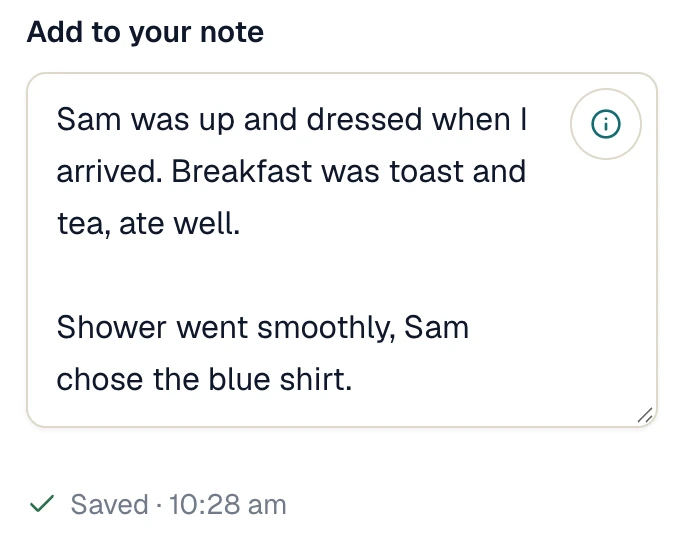
Real screen · demo information
How it works
Workers write the note on their phone, on the shift. You read every note for a participant in one place.
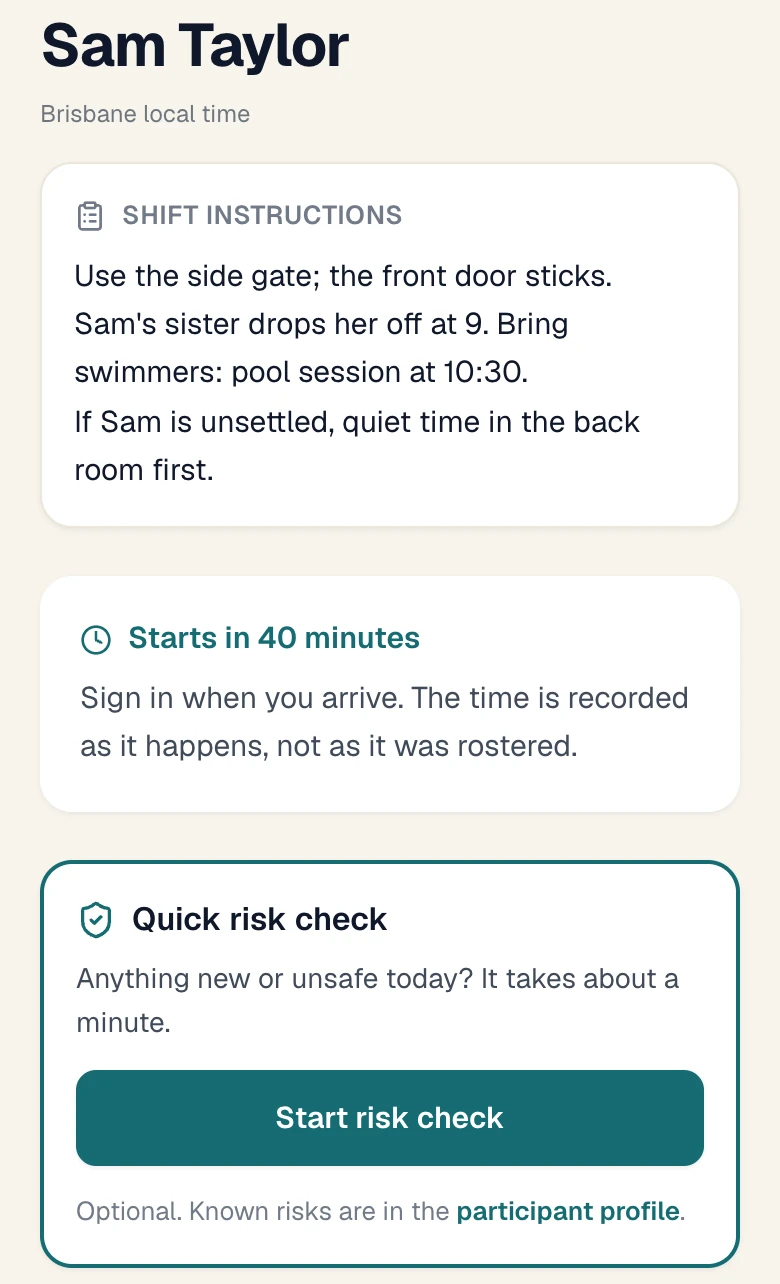
The worker opens their shift.
They see the instructions, the tasks and the previous notes for that participant, newest first. That is the handover.
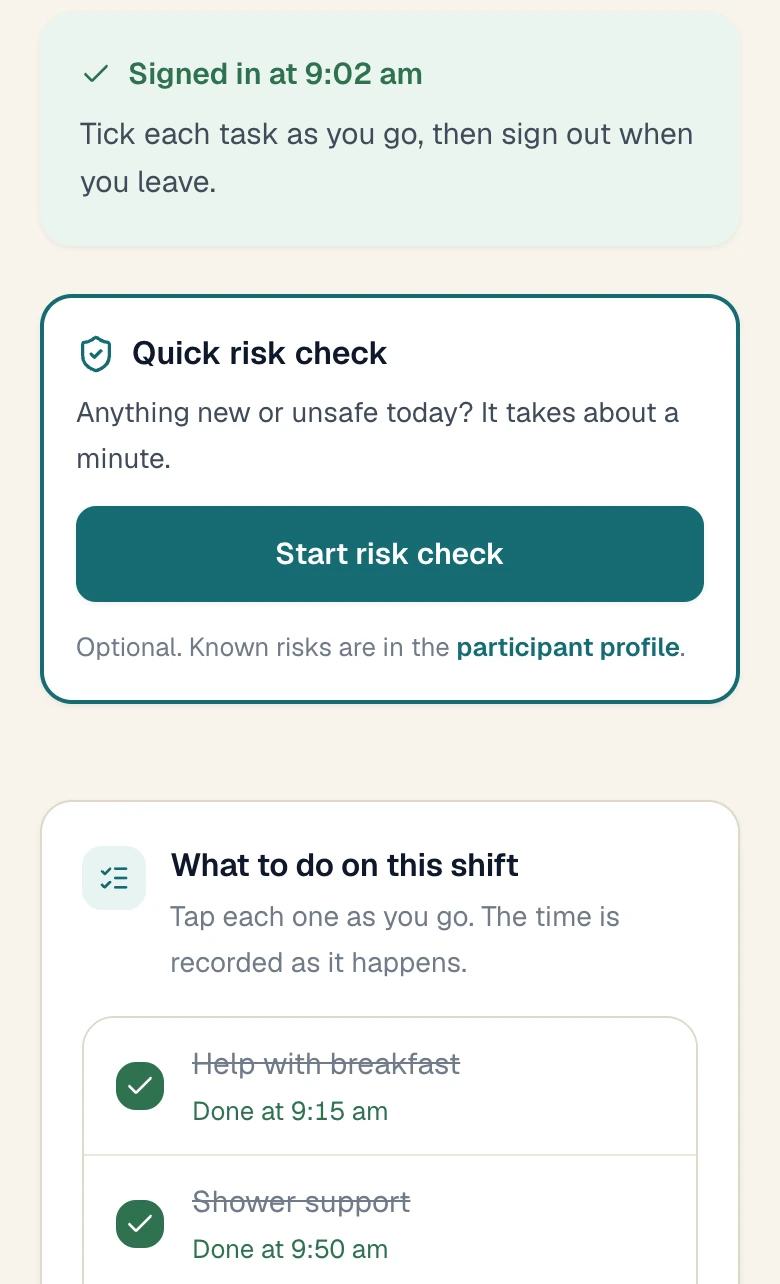
They tick tasks and write the note.
One note per worker for each shift. It saves as they type. They can add up to 10 photos or PDFs.
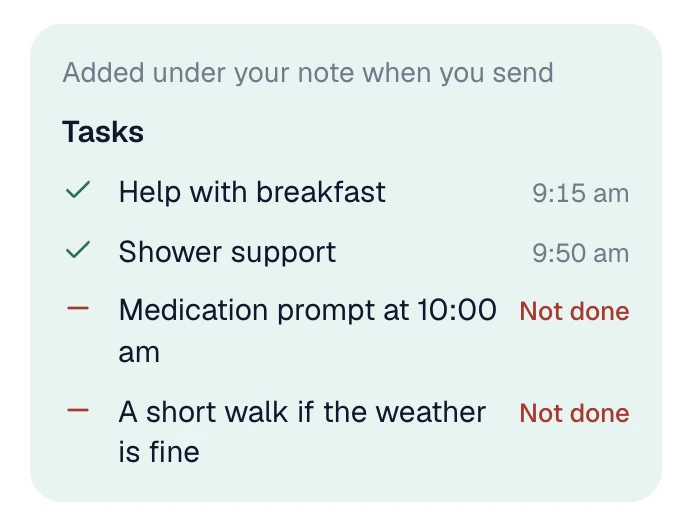
The note is sent when they sign out.
The tasks and their times go under the note. If something went wrong, they add an incident report, which is kept separate.
You see what is missing.
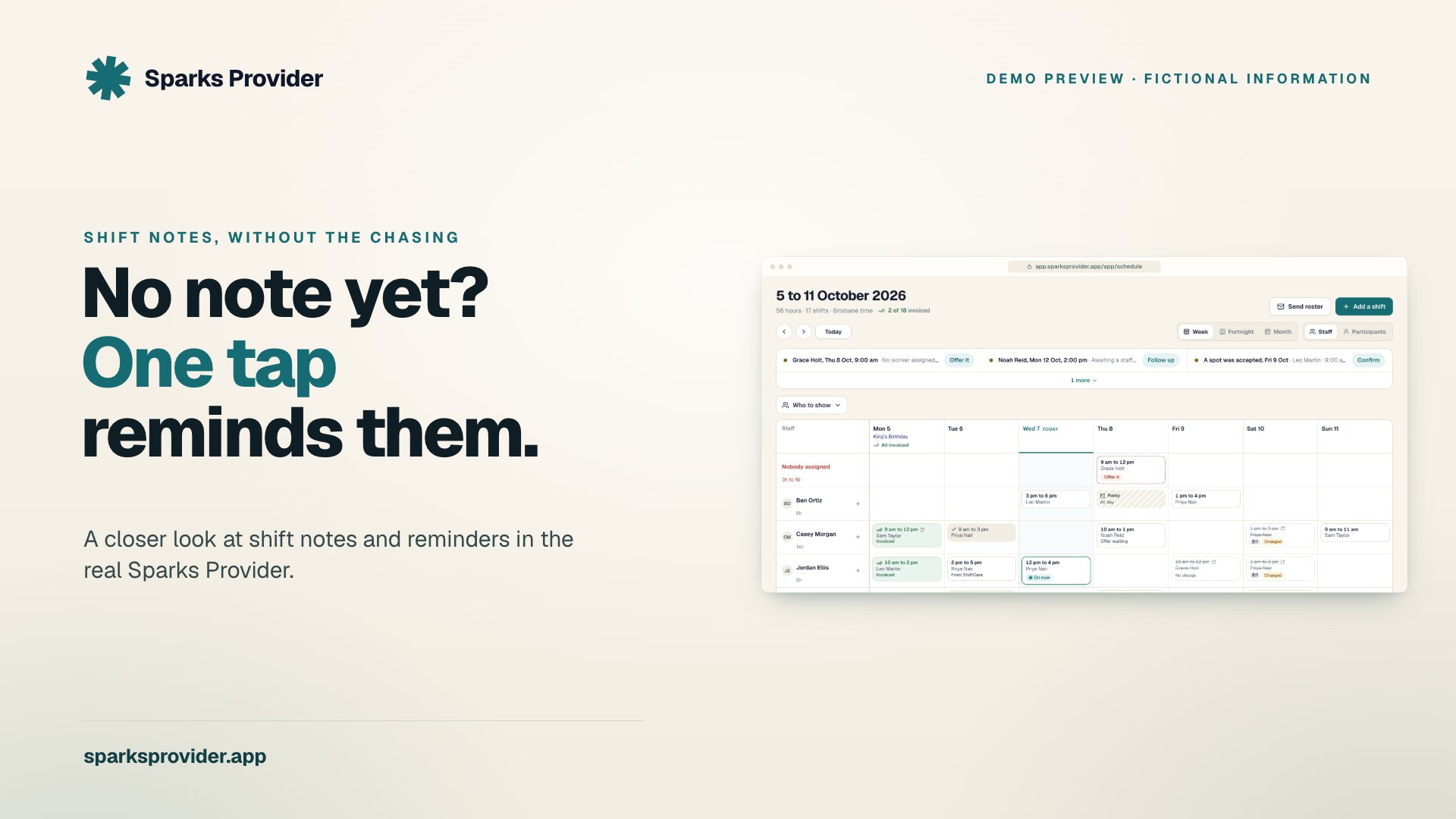
A finished shift with no note says Notes needed on the roster. Remind staff sends the worker a reminder in the app.
Read or share a participant's notes.
Every shift note for a participant is in one list. Choose the dates and make a PDF, or email it.
Real screens · demo information
In the $499
What's included
- One note per worker per shift, saved as they type.
- Start and finish times on the note.
- Up to 10 photos or PDFs on a note.
- Tasks ticked on the shift, added under the note.
- Notes linked to the participant's goals.
- Previous notes on the worker's shift screen, for handover.
- Incident reports, seen only by owners, admins and the person who wrote them.
- A Notes needed label on the roster and an in-app reminder to the worker.
- A participant's notes as a PDF or an email, for chosen dates.
- An optional email to your admin inbox for each new note and incident report.
- Past notes brought across from ShiftCare, Imploy and Sparks Scribe exports.
Left out
What it doesn't do
- Notes cannot be edited or deleted once sent. A correction is a new note. That keeps the record honest.
- It does not write the note. The words are the worker's own, kept as typed.
- It does not judge whether a note meets a funding or audit rule. That stays with you.
What is NDIS progress notes software?
Software where support workers record what happened on each shift, so the provider has a dated record for every participant. In Sparks Provider the note sits on the shift, so it is tied to the participant, the worker, the day and the hours.
Is there a shift notes app for support workers?
Yes. Workers use the Sparks Provider app on iPhone, iPad or Android, or a phone browser. They open the shift, write the note and sign out.
Can a worker see what happened on the last shift?
Yes. Previous notes sits above their own note box and shows that participant's earlier notes, newest first. A worker who has never supported that person sees nothing, and incident reports are not shown.
Can notes be linked to a participant's goals?
Yes. Save the participant's goals on their record, and a note can be linked to the goals it relates to.
Can I change a note after it is sent?
No. Notes cannot be edited or deleted. Add a new note that corrects the earlier one. Each note keeps its author and time.
Can I send a participant's notes to a family or coordinator?
Yes. Owners and admins choose the dates and make a PDF, or email it from Sparks Provider. Read it before you share it.
Can workers add photos?
Yes. Up to 10 photos or PDFs on a note. Owners and admins can remove one, for example a photo taken without consent.
Keep reading
Prices, comparisons and guides
Sparks Provider. Small on purpose.
See it with your own week.
Start your free trial7 days. No card needed. $499 a year including GST if you stay.
This is general information, not financial or NDIS advice.